
Choosing displays
Consumer TV or commercial display: which suits your business?
Look beyond the category and purchase price. Compare permitted use, playback compatibility and what it takes to get the screen working again if something fails.
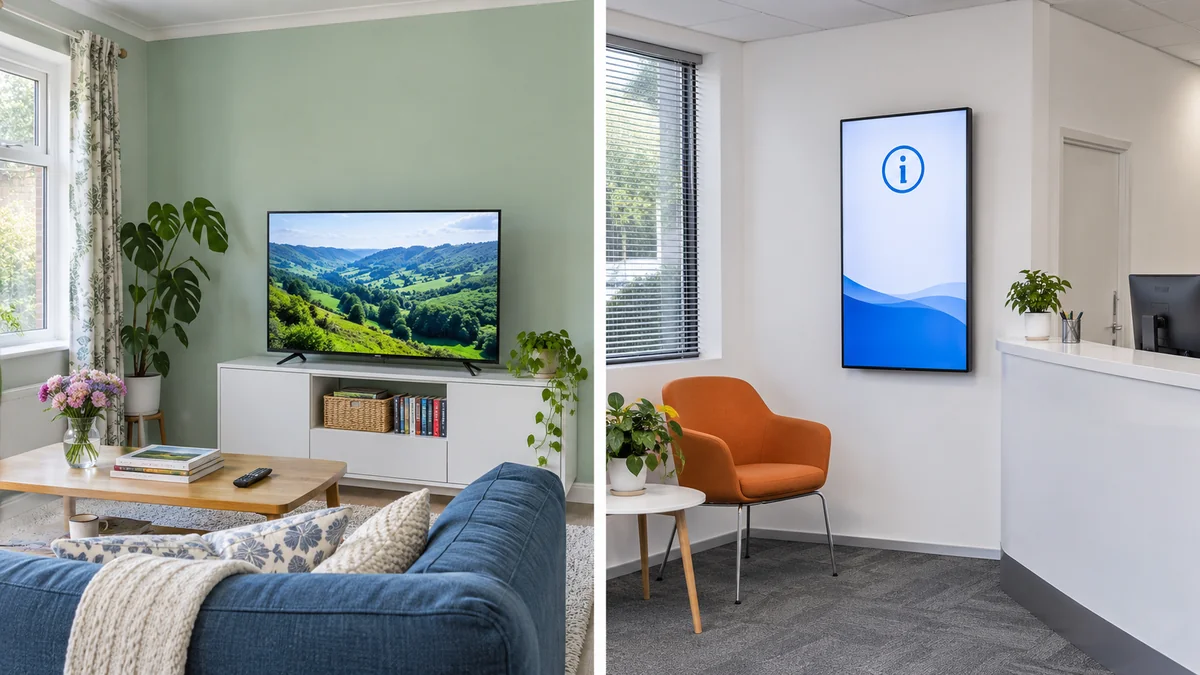
Key takeaways
- Compare specific models rather than treating either category as uniformly suitable.
- Get written warranty terms covering your actual business use.
- Test player compatibility separately from the display’s hardware suitability.
Compare both devices against your actual use
You may already own a consumer TV you would like to use in your shop, or be comparing one with a display sold for commercial use. The useful question is whether the proposed model suits the task, operating hours and installation, and whether that use is covered by its warranty.
Write down the normal daily operating hours, type of content, screen location and who will look after it. A meeting-room screen used for a few hours has a different operating schedule from a menu display running throughout a restaurant’s opening hours. Use that brief to compare quotes and ask suppliers to fill in missing specifications.
Start with operating hours and warranty
Check the specified operating hours for each model, along with conditions relating to content, temperature and installation. A commercial label does not mean every display is designed for continuous operation. Use the specification for the exact model under consideration rather than a similar product in the range.
Ask directly whether the written warranty covers use in your business for the required hours. Who handles a fault report, and is service provided on site or at a repair centre? Terms may vary by country, supplier and product. Keep the written answer, quote and invoice so the agreed coverage is available if you need it.
Check mounting, lighting and ventilation
Playing a video in a showroom does not reveal every difference that matters at your premises. Check readability under the site’s lighting and reflections, and review temperature limits and ventilation requirements. For a screen behind glass or facing a bright shopfront, ask for a site assessment rather than relying on a demonstration in a different room.
For portrait installation, the manufacturer’s instructions need to cover the exact model, rotation direction and mounting method. A mount that rotates does not establish that the display itself is designed for that use. The same care applies inside an enclosure or above equipment that produces heat: review clearances before approving the final installation.
Check the player behind the smart TV label
Two screens from the same brand may use different systems or versions, with different installation methods and permissions. A quote that says ‘Smart TV’ or names an operating system leaves these questions open. Request the full model number and firmware version, then verify the playback route for your chosen content management system.
The built-in player may be suitable, or you may need a compatible external device. An external player handles the content route; it does not change the display’s operating limits or warranty. For RechSign, use the result of a test on the intended device, player and content rather than a different device carrying the same brand name.
Assess an existing TV before replacing it
If you already have a screen, collect its details and check its condition, readability and permitted use first. Test how playback resumes after switching it off and on using the method allowed in its manual. Make sure staff can handle its prompts and inputs. Startup behaviour and access to the manufacturer’s settings need to be checked on that device.
When buying several new screens, compare servicing and consistency across the fleet alongside purchase price. A mix of models may require more testing and support steps. Ask to trial the same model and version proposed for delivery, and include the player, mount, installation and support in the cost comparison. Base the decision on documented suitability and a practical test.
Questions to send your supplier
Put the consumer and commercial models in a comparison table and record an answer for each point. Keep unresolved questions visible until they have been answered.
- What operating hours are permitted for this model, and under which conditions?
- Does the written warranty cover my business use and intended installation?
- Does the device allow the required orientation and proposed environment?
- Have brightness and reflections been tested for this location?
- Which player is compatible, and what happens after the device restarts?
- Who handles maintenance, and what does the quote include?
Download the checklist
Record each check and your team’s notes in a ready-to-use spreadsheet. Open it in Excel or Google Sheets.
Download checklist CSVFind your display setup guide
Compatibility depends on the model, firmware and player. Check the relevant guide before subscribing.