
Install RechSign on LG webOS
For compatible LG webOS Signage displays. Have your remote and RechSign account handy.
Go to the stepsDisplay installation URL
https://rechsign.com/lg.ipkInstallation and pairing
The menus shown in the images may differ on your display.
- 1
Check the display model
Open Settings, then Device Information. Note the model and webOS version, and check the connection.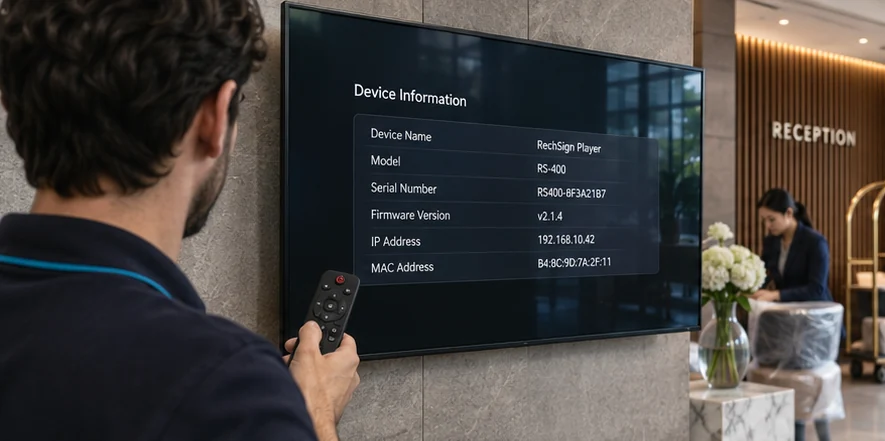
- 2
Open the player launch settings
Open SI Server Setting or URL Launcher, depending on your model. Save the existing settings before changing them.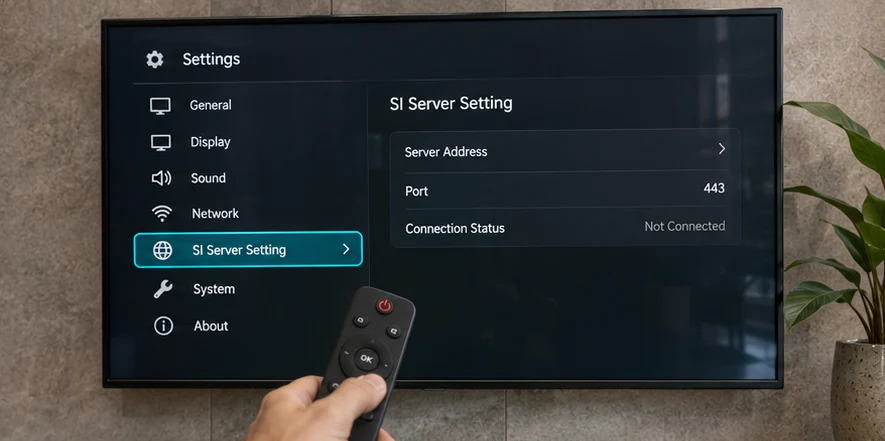
- 3
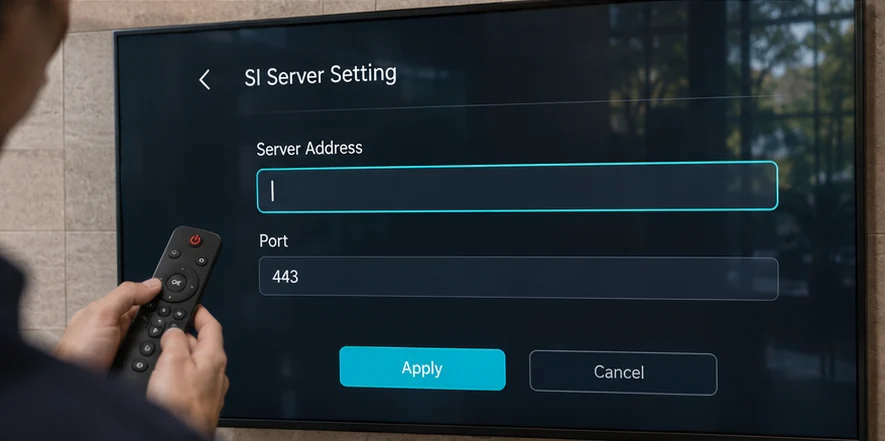
Enter the RechSign URL
Enter the URL in the URL or Server Address field, save, then restart the display.https://rechsign.com/lg.ipk
- 4
Pair the display and test playback
Open RechSign on the display. In the dashboard, go to Screens → Pair screens and enter the six letters or digits shown.Open the dashboard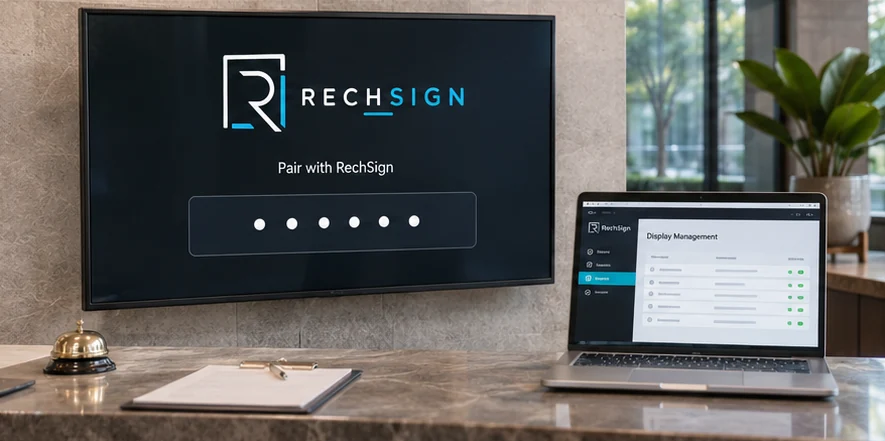
Example only. Use the code shown on your screen.
Troubleshooting
Black screen or no pairing code
Check network access, URL reachability and device time. Send the model, firmware and error screen to support.
Playback stops offline
Verify that media caching completed and test the actual player path on the same display before relying on offline behavior.
Frequently asked questions
Does this work on every LG TV?
No. This guide is for compatible LG commercial webOS Signage displays. Consumer TVs and older firmware need separate validation.
Does playback always survive an internet outage?
No blanket guarantee. Cached media and the installed player path must be tested on the target display before relying on offline operation.
Can every display accept remote reboot or input commands?
No. Available controls depend on model, firmware and the manufacturer's supported APIs.
Need help with setup?
Send us your display model, software version, and the step where you got stuck.
Contact our team